Casterlabs-Portable
Casterlabs-Portable is a version of Caffeinated that does not require installation on your machine. This makes it ideal for use on multiple computers, users who don't have a second monitor and want to read chat from their phone/tablet, or for users who IRL stream and want to take their chat with them.
Installing on Android
To install Casterlabs-Portable on an Android device, follow these steps:
-
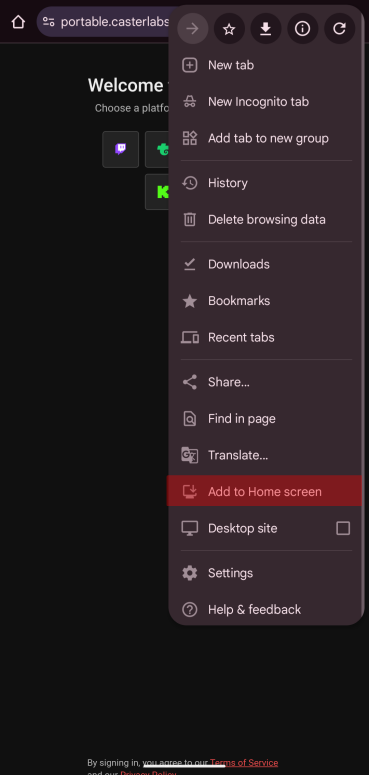
On Chrome go to the Casterlabs-Portable site.
-
Tap on the (three dots) in the top right corner of the browser, then select "Add to Home screen".
-
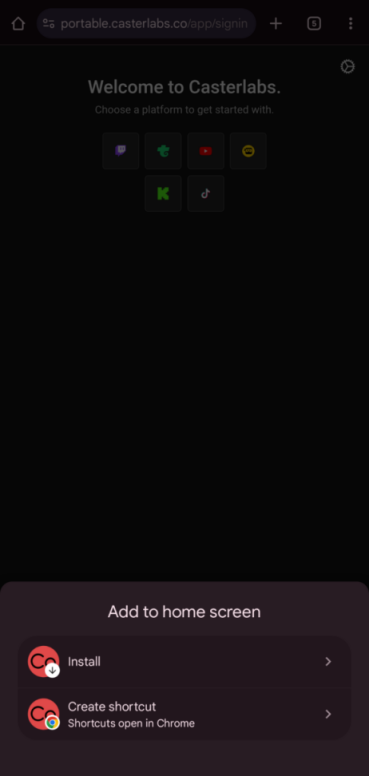
This will bring up a prompt to add Casterlabs-Portable to your home screen. Tap "Install".
-
Once installed, you can open Casterlabs-Portable from your home screen like the desktop app. Log in to the streaming platforms you wish to use.
-
You can now read all your chats from your Android device.
Installing on iOS
To install Casterlabs-Portable on an iOS device, follow these steps:
-
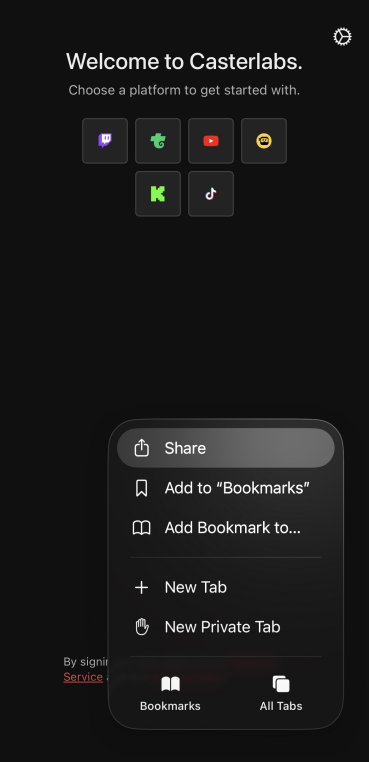
From Safari go to the Casterlabs-Portable site
-
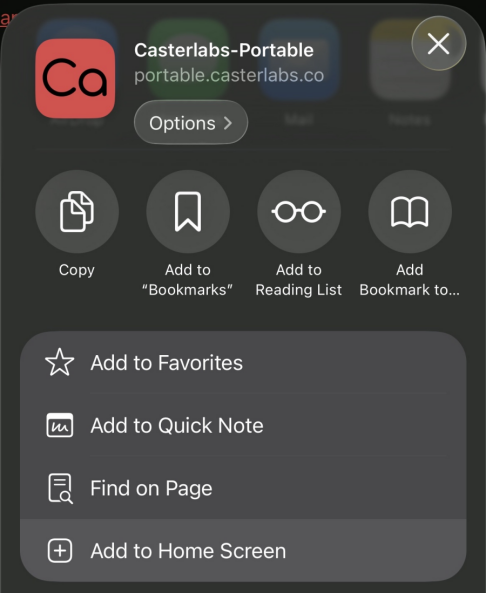
Tap on the Share (square with an arrow pointing up) at the bottom of the browser, then select "Add to Home Screen".
-
This will bring up a prompt to add Casterlabs-Portable to your home screen. Tap "Add".
-
Once installed, you can open Casterlabs-Portable from your home screen like the desktop app. Log in to the streaming platforms you wish to use.
-
You can now read all your chats from your iOS device.