

Casterlabs-Portable Installation
Get Casterlabs-Portable installed on your device.
Casterlabs-Portable works completely independently from your main Casterlabs-Caffeinated installation, so you can run both at the same time if you wish.
As it runs separately, Portable will not share any settings, themes, or plugins or alerts with your main Caffeinated installation.
What is a PWA? #
Casterlabs-Portable is a Progressive Web App (PWA) -- basically, a website that knows how to behave like an app.
You can use it normally in your browser, but you can also install it on your device. Once installed, Portable gets its own icon and can be launched just like any other application, without needing to open your browser first.
There's no traditional installer to download and no app store required. You just visit Portable, hit Install, and your browser handles the rest.
Installing Casterlabs-Portable #
You can install Casterlabs-Portable from the Portable website.
Select your device type below for instructions on how to install Casterlabs-Portable.
Unable to use a keyboard? #
We know you probably don't have a keyboard, so we've included a QR code below so you can scan it with your phone and install Portable from there.

Select Your Device #
Bellow are installation guides for the various devices Casterlabs-Portable can be run on.
Step 1 #
Simply tap on the Install Button.
Step 2 #
Follow the on-screen prompt to add the app to your device.
Manually Adding Portable to your Home Screen #
You'll have to manually add the app to your home screen. We'll guide you through it.
Step 1 #
Make sure you're in Safari
Other browsers may not have the option to add the app to your home screen.
Step 2 #
Tap the Menu.

Step 3 #
Tap the 'View More' Menu.
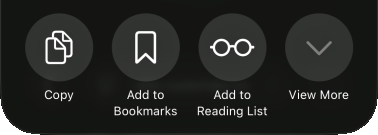
Step 4 #
Tap the Share option.
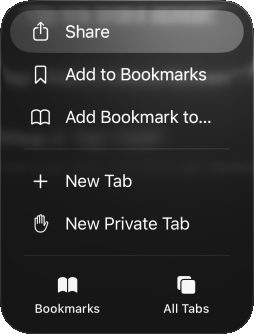
Step 5 #
Tap "Add to Home Screen"
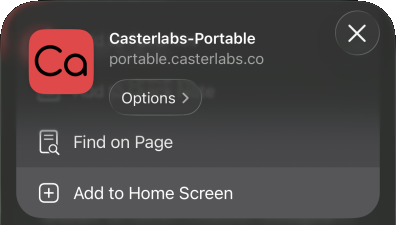
Step 6 #
Tap "Add"
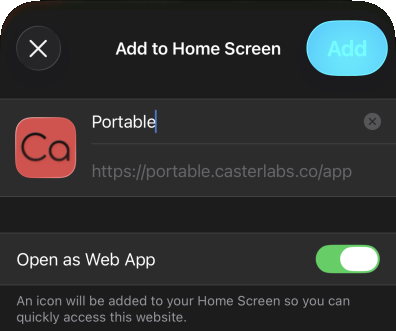
And you're good to go! Open the app to get started
Install Portable on your macOS machine via your Safari browser, and you can then add it to your dock.
Adding Portable to your Dock #
You have to manually add Casterlabs-Portable to your Dock.
Step 1 #
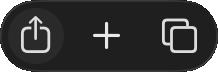
Tap the Share button in the top right.
Step 2 #
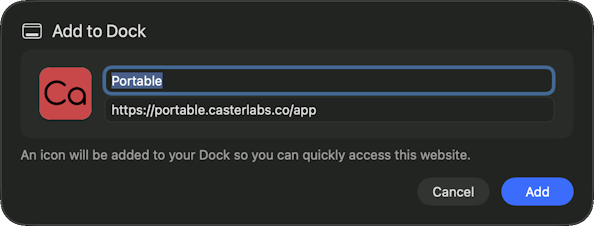
Tap on "Add to Dock"

Step 3 #
Tap Add
That's all, you're all good to go.
Firefox is Unsupported #
Unfortunately, Firefox does not support the installation of PWAs.
Please follow the instructions for Chrome or Safari.
Once you are all set up after the installation on your device, the app will be ready to launch from wherever your installed apps live.